Sponsored by Promptwice - Your Perfect AI Image Prompt Generator
Home » AI Tools » AI Productivity » Fyxer
Fyxer
Introduction: Fyxer is an AI-powered productivity assistant that helps professionals manage communication and admin work — especially email, meetings, scheduling, and follow-ups.
What is Fyxer?
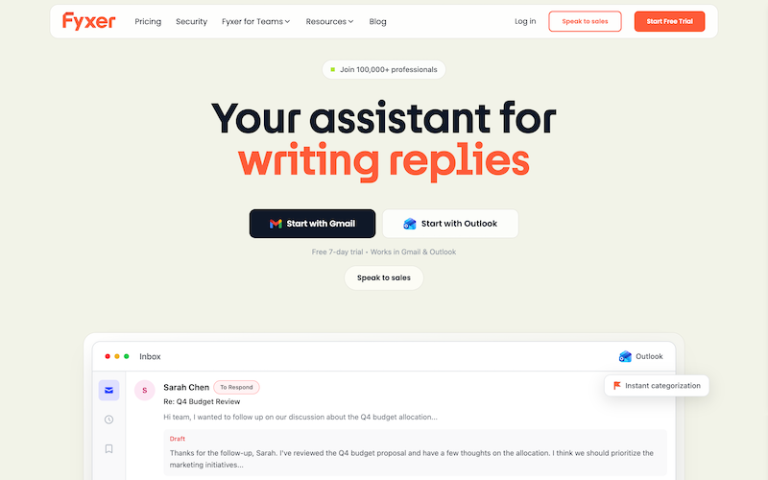
Fyxer is an AI-powered productivity assistant that helps professionals manage communication and admin work — especially email, meetings, scheduling, and follow-ups. It integrates directly with your inbox (like Gmail and Outlook) and calendar, organizing messages, drafting replies in your tone, automating meeting summaries, and reducing time spent on repetitive tasks.
It’s designed for individuals and teams (including sales, consulting, real estate, and other roles that deal heavily with email) to regain hours per day by automating lower-value work.
Main Features
- Smart Inbox Organization: Fyxer automatically sorts your email into actionable categories like To Respond, FYI, Notifications, and Actioned so you can focus on the messages that truly matter first.
- AI-Drafted Replies: For every email in your To Respond category, Fyxer will draft a reply in your personal tone of voice, ready for you to review, edit if needed, and send. Over time it learns how you write.
- Smart Scheduling: Fyxer can suggest available times based on your calendar and insert scheduling links into replies to reduce back-and-forth coordination.
- Meeting Notes & Summaries: When enabled, the Fyxer Meeting Notetaker can join your online meetings (Zoom, Google Meet, Teams) and generate concise summaries, decisions, and follow-up drafts delivered straight to your inbox.
- Contextual AI Chat: Some plans include a chat feature that lets you ask questions about your inbox or meeting summaries, giving instant answers based on your email and notes.
- Email + Calendar Integration: Fyxer works directly inside Gmail and Outlook and links with your calendar, so you don’t need to switch apps or learn a new interface.
- Team & Enterprise Capabilities: Professional and Enterprise plans add features like multiple inboxes, team scheduling across time zones, CRM integrations (e.g., HubSpot), dedicated onboarding, and advanced security controls.
Pros and Cons
- Automates inbox organization, reply drafting, and meeting notes so professionals can focus on priority work.
- Fyxer adapts to your tone and phrasing, making draft responses sound natural and consistent with your voice.
- No need to learn a new app — it integrates directly with Gmail, Outlook, and major meeting platforms.
- Smart scheduling and calendar integration cut down back-and-forth coordination.
- Compliance with SOC 2, ISO 27001, GDPR, and optional HIPAA for Enterprise — suitable for professional use.
- Starter and Professional plans range from ~$22.50 to ~$37.50/month per user (billed annually), with Enterprise pricing bespoke.
- Needs access to your inbox and calendar to work best — some may hesitate to grant broad permissions.
- It focuses on communication and scheduling — you still need separate CRM or task tools.
How to Use Fyxer?
- Sign Up & Connect Accounts: Go to Fyxer.com and sign up, then connect your Gmail or Outlook inbox and calendar.
- Configure Inbox Preferences: Adjust email categorization settings to match your workflow. Fyxer will immediately start sorting incoming emails.
- Review Drafted Replies: Open drafts written by Fyxer, edit as needed (to match your tone), and send. The system learns from each edit.
- Enable Meeting Notetaker (Optional): Allow Fyxer to join virtual meetings you approve — it records and summarizes key points and drafts follow-ups.
- Use Smart Scheduling: When drafting replies, use suggested meeting times or scheduling links to eliminate back-and-forth.
- Scale to Teams: Invite colleagues, set roles, and manage team workflows via Professional/Enterprise plans.