Clawdbot
Introduction: Clawd.bot (Clawdbot) is an open-source AI assistant platform you can install and run on your own machines or servers.
What is Clawdbot?
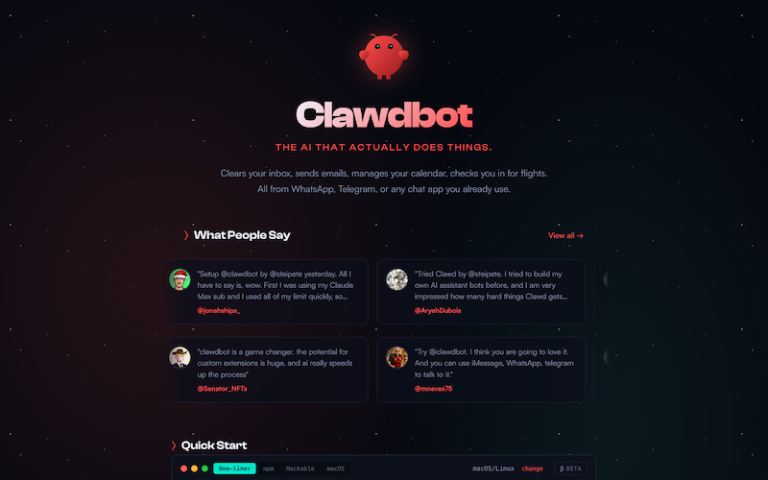
Clawdbot is an open-source AI assistant platform you can install and run on your own machines or servers. It acts as a personal AI agent that can perform real-world tasks, automate workflows, and integrate with messaging apps such as WhatsApp, Telegram, Discord, Slack, Signal, and more. It’s not just a chat bot — it can automate actions, remember context, and interact with you through familiar chat interfaces instead of a separate app.
The tool is community-driven and open-source, with a rapidly growing developer ecosystem and modular architecture that supports plugins/“skills” for added capabilities.
Main Features
- Multi-Platform Integration: Clawdbot connects your personal AI assistant to messaging apps you already use — like WhatsApp, Telegram, Discord, Slack, Signal, Google Chat, and others — so you can interact with it in familiar environments.
- Persistent Memory & Context: Unlike many simple chatbots, Clawdbot remembers context and past interactions. This allows it to maintain continuity across conversations and personalize interactions over time.
- Automations & Task Execution: It can automate tasks and workflows — from managing inboxes and calendars to scheduling reminders, processing files, and even browsing the web or filling forms — either on a schedule or based on triggers.
- Extensible Skills & Plugins: Clawdbot supports add-on skills and plugins that expand its capabilities. The community maintains a registry (e.g., ClawdHub) where users can install new skills for automation, marketing tasks, or custom workflows.
- Browser & System Control: With the right setup, it can control your browser, run commands on your local machine, access files, and perform system-level tasks — essentially acting as a personal agent that does things for you rather than just answering questions.
- Local-First Architecture: While you can connect cloud APIs for language models (like Claude or OpenAI), Clawdbot is designed to run primarily on your own device or server, giving you more control over your data and privacy than cloud-only assistants.
Pros and Cons
- Being open-source, you can customize it, add plugins, or even contribute code. This makes it much more adaptable than closed AI assistants.
- You can interact with it where you already spend time — WhatsApp, Telegram, Discord, etc. — which reduces friction and lets it act on real-world inputs.
- It’s not limited to chat — it can schedule, automate workflows, manage files, and even proactively send reminders or alerts.
- Because it runs on your own device or server (self-hosted), your data doesn’t have to live on a third-party cloud service by default.
- This isn’t a ready-made consumer app; it usually requires installation via terminal, managing Node.js environments, configuring APIs, and setting up gateways — which can be hard if you’re not technical.
- Clawdbot itself doesn’t contain a trained language model — you must connect it to models (OpenAI, Anthropic/Claude, local LLMs) which might incur costs or require API keys.
- Third-party site checks give mixed trust scores partly because the domain and ecosystem are new; trust ratings and user experiences vary.
How to Install and Use Clawdbot?
- Install It Locally: Clone the open-source repository or use the installer script (curl -fsSL https://clawd.bot/install.sh | bash) or install with npm/pnpm.
- Configure the Assistant: Run the onboarding setup (clawdbot onboard) and select your language model provider or local model.
- Connect to Messaging Platforms: Pair Clawdbot with apps like WhatsApp, Telegram, Discord, etc., so you can communicate with your AI assistant through those channels.
- Add Skills & Automation: Install skills/plugins to extend capabilities — e.g., for email automation, reminders, calendar events, and more.
- Use Normally: Send commands through your messaging app or directly from the system where it’s hosted — it’ll respond, act, and remember context across sessions.