Sponsored by Promptwice - Your Perfect AI Image Prompt Generator
Home » AI Tools » AI Video Generator » LoRA AI
LoRA AI
Introduction: LoraAI is an AI-powered image and video generation platform built around LoRA (Low-Rank Adaptation) technology.
What is LoRA AI?
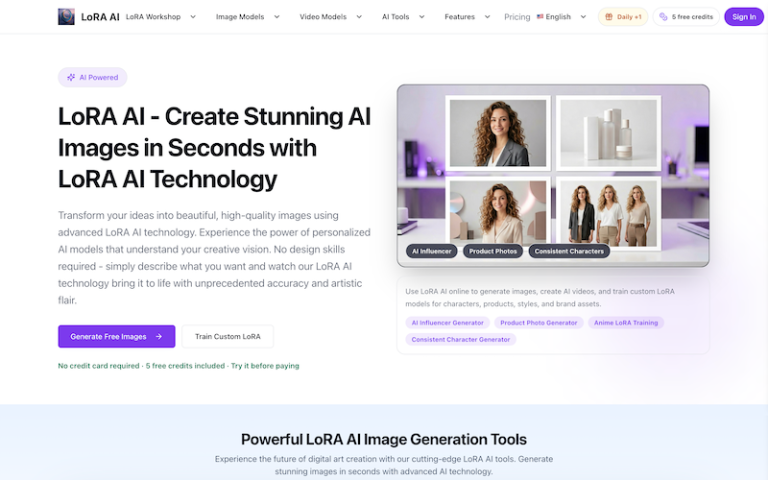
LoraAI is an AI-powered image and video generation platform built around LoRA (Low-Rank Adaptation) technology. It allows users to generate images, create short AI videos, and train custom LoRA models for consistent characters, products, visual styles, and brand assets. Unlike general-purpose AI image generators, LoraAI focuses particularly on repeatable and consistent visual results across multiple generations.
Main Features
- AI Image Generation: Generate portraits, characters, product visuals, social media graphics, campaign images, and other creative content using LoRA-enabled image models. Users can also provide reference images to guide the generation.
- Custom LoRA Training: Train a reusable LoRA model from your own image dataset for a specific person, character, product, style, mascot, or brand identity. Once trained, the model can be reused across future generations.
- Consistent Character Generation: Create the same character or person across different scenes, poses, outfits, and environments, making it useful for storytelling, marketing, and AI influencer content.
- Product & Brand Visuals: Train LoRAs around products or brand styles and reuse them to produce consistent advertising images, campaign visuals, and product concepts.
- AI Video Generation: Use trained LoRAs and first-frame images to create short AI videos while maintaining a more consistent character, product, style, or visual identity.
- Multiple LoRA Training Workflows: LoraAI provides specialized training options for models such as Flux Dev, Krea, Qwen Image, Z-Image, anime characters, and consistent-character workflows.
- AI Creative Tools: The platform also includes focused tools for tasks such as face swapping, couple photos, stickers, architecture concepts, packaging-style visuals, and other creative workflows.
- Reusable LoRA Library: Trained models can be saved in My LoRAs, allowing users to reuse them instead of retraining for every new project.
Pros and Cons
- Strong focus on consistency
- Custom model training
- Supports both images and videos
- Beginner-friendly compared with local LoRA workflows
- Useful for commercial creative workflows
- Training requires a suitable dataset
- More complex than a basic AI image generator
How to Use LoRA AI?
1. Choose what you want to create
Start with one of the main workflows:
- AI image generation
- Custom LoRA training
- Consistent character creation
- AI video generation
2. Generate images or prepare your dataset
For normal image generation, enter a prompt and optionally upload a reference image.
For custom LoRA training, prepare a dataset containing clear images of the character, product, person, or style you want the model to learn.
3. Train your LoRA
Upload the dataset and select the appropriate LoRA training workflow. Once training is complete, the model is saved to My LoRAs.
4. Generate consistent images
Select your trained LoRA and use it with the compatible image generator. Add the appropriate trigger word and describe the scene you want.
5. Turn images into videos
Take your strongest generated image and use it as a first frame for a compatible video workflow. Add a motion prompt describing the movement or camera action you want.