Sponsored by Promptwice - Your Perfect AI Image Prompt Generator
Home » AI Tools » Video to Text Converter » Happy Scribe
Happy Scribe
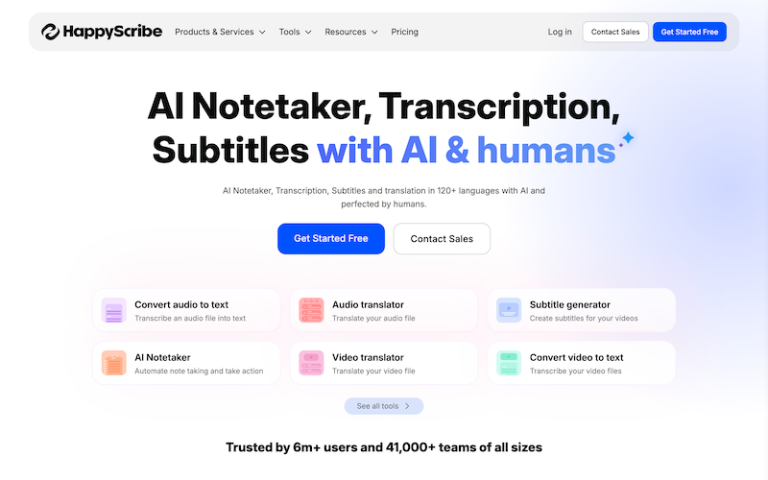
Introduction: Happy Scribe is an AI-powered transcription and subtitling platform that converts audio or video into text — including captions, transcripts, and translations.
What is Happy Scribe?
Happy Scribe is an AI-powered transcription and subtitling platform that converts audio or video into text — including captions, transcripts, and translations — quickly and with high accuracy. It’s used by podcasters, journalists, creators, businesses, and educators to turn spoken content into readable, searchable text and subtitles.
Main Features
Automatic Transcription
- Converts audio or video files into text.
- Supports multiple languages and accents.
- Offers high accuracy with AI speech-to-text models.
Automatic Subtitles
- Generates subtitles for videos in timed text formats (e.g., SRT, VTT).
- Works for YouTube, social media, training videos, and courses.
Translation
- Translate transcripts into many languages — useful for global content.
- Keeps timecodes in translated subtitles.
Interactive Editor
- Edit transcripts / subtitles in an easy, spreadsheet-like editor.
- Jump to specific audio/video by clicking transcript lines.
Speaker Detection
- Recognizes and labels different speakers (Speaker A, B, etc.).
- Great for interviews, podcasts, meetings.
File Upload & Import
- Upload audio or video file formats (MP4, WAV, MOV, etc.).
- Import links from online sources (e.g., YouTube URLs).
Collaboration Tools
- Share transcripts or subtitle projects with others.
- Leave comments and collaborate on editing.
Export Options
- Download transcripts in multiple formats: TXT, DOCX, PDF.
- Subtitle files: SRT, ASS, VTT, and more.
- Export fully formatted captions for editing software.
Integrations
- API access for developers.
- Plugins and integrations with video platforms and workflows.
Templates & Autocorrect
- Auto punctuation and capitalization.
- Auto suggestions to improve readability.
Pros and Cons
- Fast and accurate: Generates transcripts quickly with strong accuracy for many languages.
- Multi-format output: Covers text formats and subtitle standards.
- User-friendly editor: Makes review and correction simple.
- Speaker recognition & timestamps: Useful for interviews or multi-speaker media.
- Collaborative workflow: Teams can edit and comment together.
- Not free for unlimited use — pricing is usage-based (e.g., per minute transcribed) with subscription options.
- Advanced translation quality may need review — AI translations still sometimes miss nuance.
- Some users find subtitle timing needs manual tweaking for perfection.