Home » AI Tools » AI App Builder » Atoms
Atoms
Introduction: Atoms.dev is an AI-powered multi-agent development platform that turns simple text ideas into fully functional, production-ready apps, websites, or even entire online businesses.
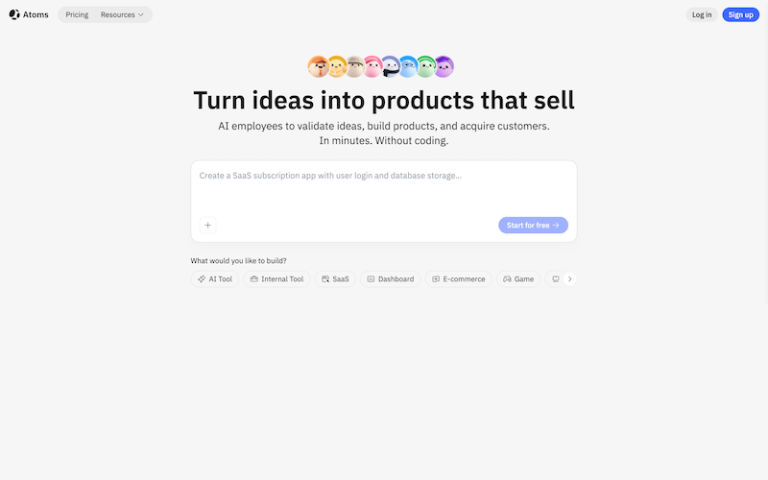
What is Atoms?
Atoms.dev is an AI-powered multi-agent development platform that turns simple text ideas into fully functional, production-ready apps, websites, or even entire online businesses. Unlike traditional no-code tools, Atoms works like a virtual AI team (product manager, developer, designer, analyst) that collaborates to handle everything from idea validation to deployment.
Main Features
- Multi-Agent AI System: Atoms uses multiple AI agents (PM, engineer, designer, analyst) that collaborate like a real development team to plan, build, and launch your product.
- Natural Language App Creation: You can create apps, SaaS tools, dashboards, or websites simply by describing your idea in plain English—no coding required.
- Full-Stack Development (Frontend + Backend): The platform automatically generates UI, backend logic, databases, authentication, and APIs in one workflow.
- Deep Research Mode: AI can analyze market demand, competitors, and niches before building your product, helping validate ideas.
- One-Click Deployment: Apps can be deployed instantly with hosting, infrastructure, and scaling handled automatically.
- Built-in Monetization & Growth Tools: Supports payments (e.g., Stripe), SEO optimization, analytics, and growth features to help launch real businesses.
- Real-Time Preview & Editing: Includes a browser-based workspace with live preview, code editor, and instant updates.
- Code Export & Ownership: You can export your code or sync with GitHub, giving full control over your project.
Pros and Cons
- All-in-one “AI startup team”
- No coding required
- Extremely fast development
- Production-ready outputs
- Built for monetization
- Full ownership (code export)
- Still early-stage platform
- AI output may need refinement
How to Use Atoms?
- Sign up: Go to atoms.dev and create a free account.
- Describe your idea: Example:“Build a SaaS tool for AI image generation” or “Create a travel booking website with payments”.
- AI agents start working: Research market, plan features, design UI, and build frontend + backend.
- Review and refine: Edit via chat: “Add login system”; “Improve UI design”; “Add subscription payments”.
- Preview in real time: See your app instantly in the browser.
- Deploy: Publish with one click and get a live product.
- Scale & monetize: Add payments, analytics, SEO, and iterate with AI support.