Home » AI Tools » AI Transcriber » Otter.ai
Otter.ai
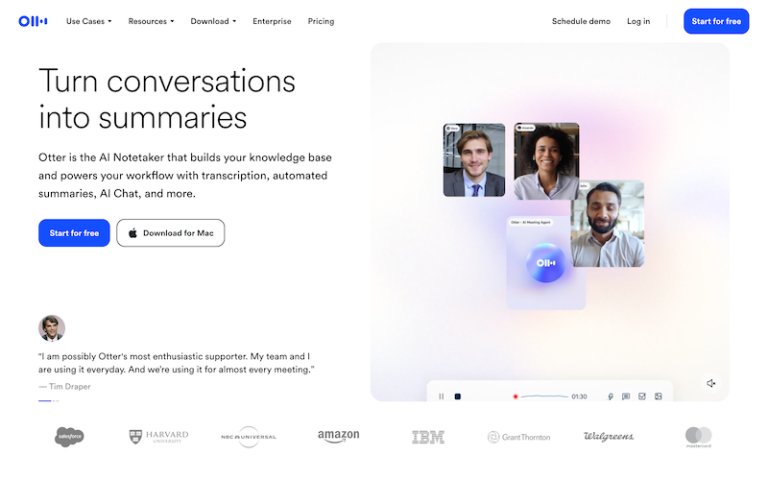
Introduction: Otter.ai is an AI-powered transcription, note-taking, and collaboration tool that converts spoken conversations into searchable, shareable text.
What is Otter.ai?
Otter.ai is an AI-powered transcription, note-taking, and collaboration tool that converts spoken conversations into searchable, shareable text. It’s widely used for meetings, interviews, lectures, webinars, and team calls. Otter automatically captures speech, identifies speakers, generates summaries, and helps teams stay aligned — all without manual note-taking. It integrates with major video conferencing tools and supports real-time and post-meeting transcription.
Main Features
- Automatic Transcription
Transcribes audio and video into text with timestamps. - Supports uploads of recordings and live capture during calls.
Speaker Identification
- Detects and labels different speakers in multi-person discussions.
AI Summaries & Highlights
- Generates concise summaries, identifies key points, and highlights action items and decisions.
Meeting Integrations
- Syncs with Zoom, Microsoft Teams, Google Meet, and Webex to join and transcribe live meetings.
- Calendar integrations help schedule and auto-start note capture.
Searchable & Editable Transcripts
- Full-text search lets you find any moment by keyword.
- Edit, comment, highlight, and tag transcripts right in the editor.
Export & Sharing
- Export transcripts and summaries to formats like PDF, TXT, DOCX.
- Share interactive transcripts with teammates via link or email.
Multilingual Support
- Transcribes in multiple languages (English primary; other languages supported depending on plan).
- Translate transcripts into other languages.
Collaboration Tools
- Commenting, shared folders, team libraries, and easy access for collaborators.
Mobile & Web Access
- Use Otter on web, iOS, or Android for transcription on the go.
Third-Party Integrations
- Works with Slack, Notion, Zapier, and other apps to automate workflows.
Pros and Cons
- Highly accurate transcription for clear audio and common accents.
- Real-time live transcription for Zoom/Meet and hybrid meetings.
- Speaker labeling helps follow who said what without manual work.
- Summary and highlight features save time on manual note-taking.
- Shareable, searchable transcripts boost team transparency.
- Cross-platform availability (web, mobile) keeps notes accessible anywhere.
- Accuracy depends on audio quality — background noise or overlapping voices can lower quality.
- Some advanced features are paid only (e.g., export formats, integrations, long recordings).
- Multilingual support is improving but still best with English speech.
- Automatic summaries sometimes miss subtle context — reviewing still helps.
- Teams with strict privacy/compliance may require careful data policy review.