Home » AI Tools » AI Note Taker » tldv.io
tldv.io
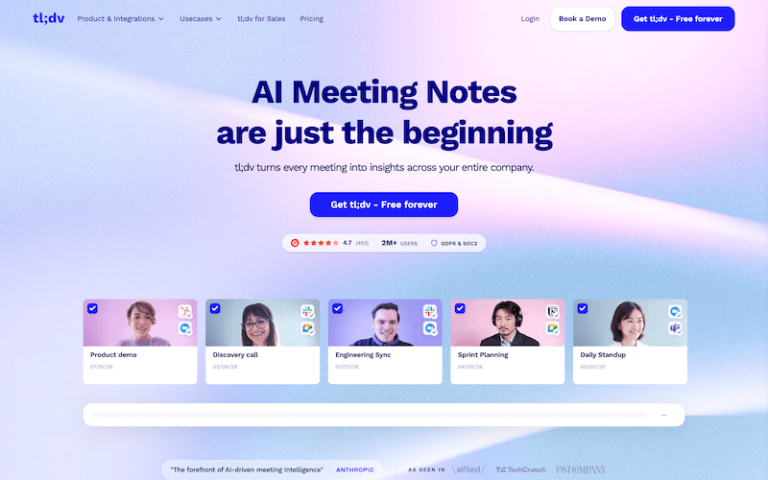
Introduction: TLDV (short for Too Long Didn’t View) is an AI-powered meeting assistant and video clipping tool that automatically records, transcribes, summarizes, and highlights key moments from video meetings.
What is tldv.io?
TLDV (short for Too Long Didn’t View) is an AI-powered meeting assistant and video clipping tool that automatically records, transcribes, summarizes, and highlights key moments from video meetings (Zoom, Google Meet, Teams, Webex, etc.). It helps turn long calls into short clips, searchable transcripts, and actionable insights — making it ideal for teams, educators, product demos, sales calls, and content creators.
Main Features
Automatic Transcription
- Converts meeting audio into searchable, timestamped text.
- Highlights key moments and allows easy navigation of content.
AI-Generated Summaries
- Summarizes long meeting recordings into concise notes (topics, decisions, action items).
- Provides a quick overview instead of requiring you to watch full meetings.
Highlight & Clip Creation
- Mark key moments live or after the meeting and turn them into shareable clips.
- Export short highlights instead of sharing full recordings.
Meeting Integrations
- Auto-captures meetings from Zoom, Google Meet, Microsoft Teams, Webex, and others.
- Syncs with your calendar and joins meetings as a bot to record.
Searchable Content
- Search your entire meeting library by keyword, phrase, or topic.
- Jump to exact moments where terms were spoken.
Speaker Detection
- Labels speakers so you know who said what — ideal for interviews and team meetings.
Export & Share
- Export summaries, full transcripts, and clips in multiple formats.
- Share via link, embed in wiki/docs (Notion, Confluence), or send via Slack/email.
Comments & Collaboration
- Teams can comment on clips/transcripts and add context for collaborators.
Record Live or Upload Files
- Capture live meetings or upload existing video/audio to get the same benefits.
Pros and Cons
- Saves hours of meeting review — no one has to watch whole recordings.
- Shareable highlights simplify team collaboration.
- Automatic summaries & clips make content digestible.
- Integrates with major meeting platforms seamlessly.
- Searchable transcripts boost knowledge retrieval.
- Speaker labels & timestamps improve clarity for team handoffs.
- Accuracy depends on audio quality — background noise or poor mics reduce transcription quality.
- Summaries can sometimes miss nuance — manual review still helps.
- Some features require paid plans (clips, advanced exports, team analytics).
- Live capture needs correct permissions and bot invites — setup can be tricky initially.